
A free-to-issue Visa that spends your stablecoins — with a lot of numbers left unstated
 Available in US
The Lydian card is a Visa Platinum card issued through Rain and meant to be funded with USDT and USDC rather than from a bank account. It comes in a virtual form that appears in the app instantly and a physical form with a chip and contactless payment, both of which can go into Apple Pay or Google Pay. There is no annual fee, and neither card costs anything to issue. In exchange for that, you accept a product where almost every number I would want before paying with it is missing from the public pages: no country list, no fee figures, no daily or monthly limits, no ATM terms, no withdrawal rules. My score is 6.9 out of 10 — a decent card with a thin information layer, which is not the same thing as a bad card.
The conditions described here are current as of October 28, 2026.
The verdict: 6.9 / 10, and what that number is made of
Lydian is for a specific person: you already hold USDT or USDC, you want to spend it through an ordinary Visa at an ordinary shop, and you would rather not open another bank account to do it. If that is you, the card does the basic thing well — free to issue, virtual card in minutes, Apple Pay and Google Pay, and an issuer with a Visa Principal Member behind it.
If you are looking for published fees, published limits, a clear list of the countries it works in, or a support team that answers in your language, this is not the card for you right now. That is not a complaint about the product; it is a fact about the disclosure.
| Criterion | Mark | Why |
|---|---|---|
| Who can get it | 5 / 10 | No country list at all. Features vary by country of residence and are “subject to eligibility requirements”. Adults 18 and over. |
| Cost | 7 / 10 | No annual fee, physical and virtual both free to issue. Conversion fees are shown before a payment but the figures are not published. |
| Top-up options | 7 / 10 | USDT and USDC natively, on supported networks; other assets swapped in the Lydian Wallet. The networks themselves are not named. |
| Reliability and complaints | 8 / 10 | Issued by Rain, a Visa Principal Member. No complaints about the card that I could find. Unofficial: reported backing from Tether and Cantor Fitzgerald. |
| Everyday use | 8 / 10 | Visa, physical with chip and contactless, virtual immediately, Apple Pay and Google Pay. ATM terms not published. |
| Total | 6.9 / 10 | A free, well-supported Visa for stablecoin holders, held back by what the card does not disclose. |
The two marks that hold this back are eligibility and cost, and they are the two you cannot resolve by reading. Everything else about the card is straightforward or unremarkable in a good way.
Will they give you the card?
Yes, to most adults — but “most” is doing real work in that sentence, because the card does not publish a country list.
The stated rule is that availability of features may vary depending on your country of residence, and is subject to eligibility requirements. That is the whole of it. There is no list of supported countries, no excluded list, nothing about citizenship as distinct from residence. What that means for you in practice: the only way to find out whether you qualify is to start the sign-up and see. If you live somewhere with a thin or fast-moving regulatory position on crypto, that answer may arrive as a flat refusal with no explanation — and nobody at the card has published what those boundaries are.
You do need to be 18 or over. The card describes a single “quick identity verification” for adults, with no tiered levels, no stated processing times and no published list of reasons a check might fail. Documents and proof of address are not stated. In practice, expect to be asked for identity documents in the app, because that is what a quick verification usually means under anti-money-laundering rules, but the card does not promise a document list.
Behind the card sits Rain, described as a Visa Principal Member. Rain is the issuer; Lydian is the brand in front of it. The registration country and licences for Lydian itself are not stated on the pages I read.
One more thing worth knowing before you apply: the card’s own pages note that some Visa Platinum benefits are attached — car rental insurance, purchase protection, extended warranty, 24/7 Visa customer service — and acceptance is put at more than 150 million merchants. That last figure is Visa’s network-wide reach, not a promise about where this particular card will be welcomed. Section “Paying with it every day” covers what that looks like in a shop.
How to get it
The sequence the card describes is short, which is the appeal:
- Download the Lydian Wallet app.
- Complete the quick identity verification.
- Receive a virtual card in the app instantly.
- Have the physical card shipped to your doorstep.
That is four steps and no branch, no appointment, no postal paperwork beyond the card itself. The verification is the only gate.
What you do not get told: which documents to prepare, how long verification takes, how long the physical card takes to arrive, which countries it ships to, what delivery costs, or what a replacement card costs. All of those are not stated. If you need a working card next Tuesday — for a trip, a subscription, a rent payment — plan on the virtual card, because it is the only one with a stated timeline, and that timeline is “instantly”.
Fees: what this card costs you in practice
The headline is good and the details are missing. There is no annual fee, and both the physical and the virtual card are free to issue. That is the entire pricing of the product: one product line, no tiers, no metal card, no price levels.
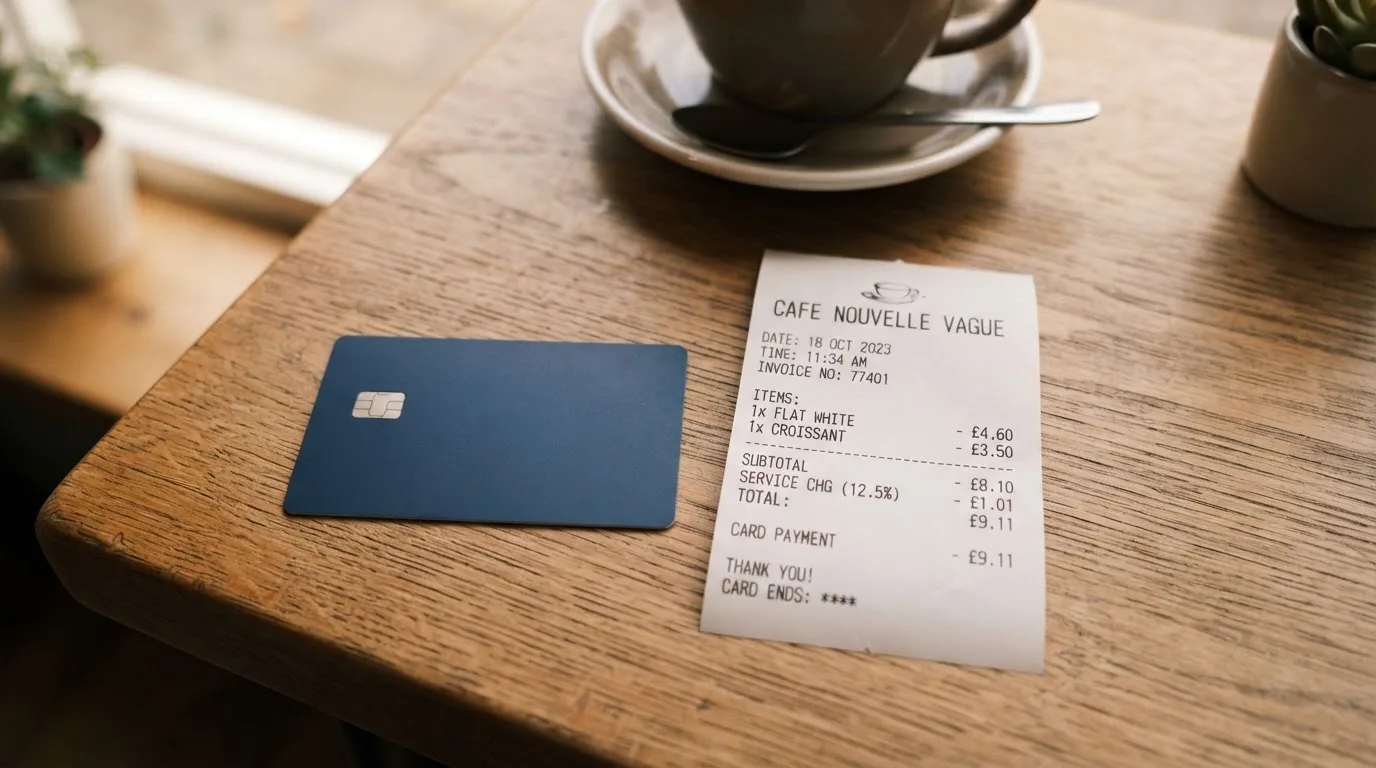
What you pay at the point of sale is a conversion, not a purchase fee in the usual sense. The card converts to local currency automatically and instantly at the point of sale, and any applicable network or conversion fees are clearly shown before you complete the transaction. The problem is that no figure is published anywhere on the pages I read, so the amount is knowable only at the moment of paying — which is better than not knowing at all, but it is not a number you can plan a month of spending around.
| Fee or limit | What the card says |
|---|---|
| Annual fee | No annual fee |
| Card issuance | Physical and virtual both free to issue |
| Conversion | Automatic and instant at the point of sale; fees shown before you complete the transaction, figures not stated |
| Card currency | Not stated |
| ATM | Not stated |
| Daily and monthly limits | Not stated; spending is “subject to applicable fees and limits” |
| Withdrawals | Not stated |
Three everyday payments, and what happens with each:
- A coffee in a shop that prices in dollars. The card converts your balance to the local currency at the till. The conversion fee is displayed before you confirm, and you cannot avoid it — there is no multi-currency balance to hold the currency already.
- A subscription billed in a currency your balance is not held in. Same automatic conversion, same undisclosed rate. This is where an unknown conversion cost hurts most, because subscriptions repeat and you never chose to set the price.
- Anything you might want to reverse. A declined authorisation can leave a hold on your balance that persists for days. Whether a Lydian dispute process exists for a charge that goes wrong is not stated on the pages I read; the card mentions Visa purchase protection and cardholder protections and stops there.
Top up: how money gets onto the card
The good design decision here is that Lydian supports the two stablecoins most people actually hold. You fund natively in USDT and USDC on the supported networks, and if you hold something else, the Lydian Wallet swaps it into your card balance for you. That removes the usual step where you have to find a bridge, an exchange that will credit the right network, or a swap that eats three per cent.
Two caveats, and the second is the one that bites:
- The networks are not named. “Our supported networks” is the phrasing. There is no list. If you send USDT on Tron and the card supports Ethereum, your deposit may not arrive, and blockchain transfers are irreversible — the network cannot reverse it, and recovery through support is manual work with no guarantee attached to it. Check which networks are supported in the app before your first transfer, not after.
- Deposit fee, minimum top-up and fiat top-up are not stated. Whether you can add money by card or bank transfer at all is not published. If you are trying to convert a euro balance into spendable dollars, the route to that first dollar is the first question to ask support.
Withdrawals are not stated either — not whether they exist, not what they cost. If your plan was to load the card and then pull the money back out, assume nothing and check first.
One structural note that belongs here rather than in the fine print: on-chain network fees for your deposit are charged by the blockchain, not by Lydian. Sending USDT on a busy network costs you gas on top of any card-side fee.
Paying with it every day
For normal use, this is the strongest part of the card. It is a Visa Platinum, issued over the Visa network, with fraud monitoring and cardholder protections described as operating through Rain.
The practical set:
- Virtual card — issued instantly in the app, good for online spending and for loading into a wallet before the physical card arrives.
- Physical card — chip and contactless, shipped to your address.
- Apple Pay and Google Pay — supported on both card forms.
- Rewards — “collect rewards” is listed as a feature. No rate, no terms, no earning period. Treat it as unquantified until you see it in your own account.
Where friction can appear, and none of it is the card’s fault:
- A shop can look at the issuing country in the card’s identification number and apply extra scrutiny if it differs from the billing address. That is standard across the industry and applies to every foreign-issued card.
- Some merchants decline prepaid cards or cards with foreign BINs for the same reason. Address verification is mainly offered in the US, Canada and the UK, and is generally unavailable for foreign-issued cards, which is a common cause of declines at US checkouts.
- Merchant category codes — the four-digit classification of a business, from ISO 18245 — can be blocked by policy rather than by law, and gambling (MCC 7995) is the one people hit most often. Lydian does not publish a blocked-category list, so you cannot know in advance. Assume any restriction you hit is a policy on the issuer or merchant side, not something you misconfigured.
- 3-D Secure works as it does on any Visa card: the issuer assesses the risk and either lets it through or asks for a one-time code or a biometric check. Online payments sometimes need one extra step.
- App ratings, store links, withdrawal flows and the dispute process: the pages I read do not cover them.
Support is a contact form or live chat on the card’s own site. Email address and opening hours are not stated, and only English is shown on the page.
What can go wrong
Nobody is asking you to trust a stranger. Here is the honest list.
The numbers you cannot see. No country list, no fee figures, no limits, no ATM terms, no withdrawal rules, no blocked merchant categories. For a card that holds real money, this is the main risk. You are asked to trust the display on your phone at the moment of payment rather than a published schedule.
Where the money sits. The card describes the cards as collateralized credit cards issued through Rain, and says the Lydian Wallet lets you maintain control of your assets. Both can be true at once, and the distinction is worth holding: control over a wallet and control over a card balance are different things. Currency and crypto transfers are typically irreversible, and a lost key has no recovery path built into the network.
Issuer and programme risk. Rain is a Visa Principal Member, which is a real institution — and Visa can suspend a programme. WaveCrest was suspended by Visa in Europe in 2018, closing all of its Visa programmes, and Visa terminated its global agreements with FTX on 13 November 2022, after which the FTX US debit card was wound down by its issuer. When that happens, the pattern is a notice period, then spending and loading stop, then you are asked to withdraw what remains. A 2026 closure reported by a secondary source had new loads ending 8 July 2026 and spending stopping 8 August 2026 — single source, unconfirmed, but the shape of it is what to expect.
No track record, in either direction. I found no complaints about the Lydian card: searches returned unrelated brands (Lydia, Sumeria, Lyk Card) and nothing on Trustpilot or Reddit. A launch of the co-branded Visa Platinum card issued through Rain was announced in a press release dated 20 April 2026, reporting 300+ supported digital assets and instant virtual issue. A young card with no complaints is not the same as a proven one, and the sample is too small to draw comfort from. Unofficial and not confirmed by the card: Lydian is described by The Paypers (April 2026) as backed by Tether and Cantor Fitzgerald.
Counterparty exposure. Your funds are held by an issuer rather than by a deposit-taking bank. Rain’s general footer notes that its Visa debit cards are issued by Cross River Bank, Member FDIC — that is a general statement about Rain, not something stated about the Lydian card specifically, so I would not rely on it as cover for this product.
Absent safeguards. Card freeze, two-factor authentication, spending controls and insurance are not stated on the pages I read. Those are the four things I would want before loading a balance worth worrying about, and their absence from the documentation is itself the finding.
Taxes. I am not going to advise you here, but you should know the shape of it: digital assets are generally treated as property, so exchanging them for goods or services produces a taxable gain or loss, measured in your local currency at the value on the transaction date. Each card payment funded from crypto may be a separate disposal.
What to take instead
Three alternatives, compared on the same questions I asked Lydian — mainly, do they publish the numbers?
| Lydian | MetaMask Card | KAST | Zeal | |
|---|---|---|---|---|
| Score | 6.9 / 10 | 7.1 / 10 | 6.1 / 10 | 6.1 / 10 |
| Network | Visa | Mastercard | Visa | Visa |
| Cost | No annual fee, free to issue | Virtual free; Metal $199/year | 0 to 10,000 USD/year by tier | Not stated |
| Published country list | No | 45 listed countries/territories | List referenced, not published | 150+ spend countries; programme live in 11 named markets |
| FX / conversion | Shown per payment, figures not stated | No foreign transaction fee; Mastercard rate | 0.5%–1.75% non-USD FX, 0.10 USD under 25 USD | No additional FX fee; Visa wholesale rate |
| Rewards | “Collect rewards”, no rate | 1% Virtual / 3% Metal on first $10,000, then 1%; $FLY bonus | 1.5% / 2% / 3% cashback by tier on monthly caps | Up to 4% cashback in GNO |
MetaMask Card is the closest competitor and the one that publishes most. Sign-up is open in 45 listed countries and territories, other regions join a waitlist, proof of residency is required, and the card’s own line is the useful one: ineligible regions limit sign-ups, not spending. US and UK sign-ups were temporarily closed per its FAQ. The virtual card is free with no annual or maintenance fee; Metal is $199/year. Rewards are quantified — 1% cashback in mUSD on Virtual, a 3% headline on Metal with a footnote limiting 3% to the first $10,000 spent and 1% after. It also spends directly from a connected self-custody wallet across Linea, Base, Monad and Solana. The catch is the Metal price and the wallet-first design.
KAST is the opposite bet: three tiers from free to 10,000 USD/year, and every fee on the page. Top-ups 0%, USD card spend 0%, transaction fee 0%, Apple and Google Pay 0%, non-USD FX 0.5%–1.75% depending on your country and card programme, 0.10 USD on non-USD transactions under 25 USD, 0.50 USD for a declined transaction. Cashback is 1.5% on the first 2,000 USD/month at Standard, 2% on 10,000 at Premium, 3% on 40,000 at Private. Its eligibility test is stricter and stranger: a supported-country residence is not enough if your ID is from a restricted region, and a VPN does not change that. The published country list is referenced but not printed.
Zeal is for euro and pound holders. Accounts in EUR, USD and GBP, Visa card, virtual card that can go into Apple Pay, spending in 150+ countries, no additional FX fee because it converts at the Visa wholesale rate. Cashback up to 4% paid in GNO, but only if you hold GNO in the card Safe — a catch that quietly narrows who benefits. Cost is not stated on the site or the app store listing. Physical card: not stated.
My own read: if your problem is “I have stablecoins and want to spend them without friction”, Lydian’s free issuance and native USDT/USDC support are the pitch. If your problem is “I need to know what this will cost me before I commit”, KAST and MetaMask are more honest documents.
Who I would recommend it to
I would recommend Lydian to someone holding USDT or USDC who wants a Visa without a bank account in the loop, who is comfortable having the fee shown at checkout rather than published in advance, and who does not need a physical card in a hurry. For that person it is a genuinely good deal: free to issue, virtual card immediately, Apple Pay and Google Pay, and an issuer with a Visa Principal Member behind it.
I would not recommend it — yet — to anyone who needs certainty on limits, fees or country support, to someone who plans large recurring foreign-currency subscriptions, or to anyone who needs to withdraw. The reason is not a red flag I found; it is an absence. Where I would want published numbers, the card has a blank.
If you read one thing and check one thing: read the fee display on your first few payments so you learn the real rate, and confirm your transfer network in the app before your first deposit, because that mistake is the expensive one.
Frequently asked questions
What is the Lydian card?
The Lydian card is a Visa Platinum payment card issued through Rain, the company named as a Visa Principal Member. You fund it natively with USDT or USDC and it converts to local currency automatically when you pay. It comes as a virtual card issued instantly in the app and a physical card with chip and contactless. Lydian is the brand in front of the issuer, not the institution that issues the card.
Is Lydian a bank?
No, nothing in the card’s own materials presents it as a bank. It is a card programme: Rain issues the card under the Visa licence, and Lydian provides the wallet and the app you interact with. Unlike a bank deposit, a balance on a card like this is not covered by a deposit guarantee scheme. Registration country and licences for Lydian itself are not stated on the pages I read.
Who owns Lydian?
Lydian is the brand; Rain is the issuer behind it. The card’s parent company is not stated on the pages I read. Unofficial and not confirmed by the card: The Paypers reported in April 2026 that Lydian is backed by Tether and Cantor Fitzgerald. A press release dated 20 April 2026 announced the co-branded Visa Platinum card issued via Rain.
Is the Lydian card available in my country?
That is exactly what the card does not say. There is no published country list and no eligibility map — the only statement is that availability of features may vary depending on your country of residence and is subject to eligibility requirements. Citizenship rules are not stated separately from residence. The honest answer is that you find out by applying, which means starting the sign-up before you commit any money.
How much does the Lydian card cost?
There is no annual fee, and both the physical and the virtual card are free to issue — that is the whole of the published pricing. What is missing is the amount. Conversion fees and any applicable network fees are shown before you complete a transaction, but no figures are published. ATM fees, daily and monthly limits and withdrawal charges are not stated, so I cannot tell you what a month of spending costs.
How do I top up the Lydian card?
You send USDT or USDC on the card’s supported networks, or swap another asset into your card balance inside the Lydian Wallet. The catch is that the supported networks are not named anywhere I could find, so check in the app before your first transfer — sending on the wrong network is usually unrecoverable. Deposit fee and minimum top-up are not stated, and whether fiat top-ups are possible is also not stated.
Does the Lydian card require KYC?
Yes — a “quick identity verification” for individuals 18 and over is part of getting the card. What the card does not publish is which documents to prepare, whether proof of address is needed, how long it takes, or what reasons might cause a rejection. There is a single verification step, not tiered levels. Anyone in a hurry should assume the physical card is not the fast path; the virtual card is issued instantly.
Can I add the Lydian card to Apple Wallet?
Yes. Apple Pay and Google Pay are both supported on the virtual and the physical card. It helps to set up the virtual card first, since it exists in the app immediately, rather than waiting for the physical card to arrive — the card’s own pages do not state delivery countries or timing. Your phone replaces the card number with a device-specific number, so adding it does not put your card number on Apple’s servers.
Is the Lydian card safe?
There is no red flag in what I found and no track record either. Issued through Rain with fraud monitoring and cardholder protections, and described as collateralized, it is built on normal card infrastructure. But I found no complaints about the card at all, which means there is little user history to judge it by — and card freeze, two-factor authentication, spending controls and insurance are all not stated. The card’s own pages call it collateralized, which is worth understanding rather than assuming.
Is the Lydian card worth it?
Worth it if you hold USDT or USDC, want a Visa without a bank account in the loop, and are comfortable seeing the fee at checkout rather than in a published table. Not worth it if you need certainty on limits, fees or country support, if you pay large recurring bills in another currency, or if you plan to withdraw — withdrawal terms are not stated. It also earns “rewards” at a rate nobody has published, so do not count that in the calculation.
Wallet cards – cryptocardsearch.com
Content created by the «cryptocardsearch.com» team