
The card that spends your USDT, and the questions its own pages leave open
 Available in US
The BingX card is a Visa debit card that spends the USDT sitting in your BingX Funding Account. If you already keep stablecoins on BingX and want to pay for things without converting them by hand, it does one job, and it does it in a way that fits everyday use: a virtual card you get instantly, a metal card in the post, and both work with Apple Pay and Google Pay. If you are hoping for an ordinary bank card that happens to link to a crypto exchange, this is something else. The balance is custodial, the card draws on USDT only for now, and several of the numbers you would need to compare it against other cards are simply not on the card’s public pages.
The conditions described here are current as of October 28, 2026.
I scored it 5.8 out of 10. That is an average verdict that reflects a card with good practical mechanics sitting on top of an exchange with a weak public complaint record, and with fee and limit disclosures that are incomplete in ways that matter when you are trying to work out what a purchase will cost you.
| Criterion | Mark | Why |
|---|---|---|
| Who can get it | 7 / 10 | Europe (EEA), APAC, LATAM and other selected regions; no country list published |
| Cost | 5 / 10 | Virtual free, annual fee 0, Metal 180 USD; first 200 USD of ATM a month free, then 2%; purchase and FX rates not disclosed |
| Top-up options | 4 / 10 | USDT from the Fund Account only, for now |
| Reliability and complaints | 4 / 10 | Issuer partner named in a launch blog but not in the card terms; Trustpilot for BingX as a whole sits at 1.5/5 across 766 reviews |
| Everyday use | 9 / 10 | Virtual and metal Visa, Apple Pay and Google Pay on both, ATM on Metal |
Who it suits. BingX exchange users who already hold USDT. If your crypto life already runs through this platform, the card is a natural way to spend that balance, and the rewards tiers are among the more generous on offer: cashback rises with monthly spend, and the first 200 USD of ATM withdrawals a month is free on the metal card.
Who it does not suit. Anyone who wants to know exactly what a purchase will cost before they make it, because the retail purchase fees and the FX rate are not published. Anyone outside the listed regions — the card page names Europe (EEA), APAC, LATAM and “other selected regions” and gives no country list. And anyone whose priority is being able to reach their money without asking a platform for permission, because the balance is held by BingX, not by you.
Will they give you the card
Short answer: if you live in a supported region and can pass identity checks, probably yes — but nobody will tell you definitively which country that is. The card page names Europe (EEA), APAC, LATAM and “other selected regions”, and that is the entire published list. There is no country table to check your name against. The card’s own terms state the two hard requirements plainly: you must be 18 or older, and you must live in a supported country, and you need a BingX account. If you are reading this outside those regions, the realistic first step is a question to support, not an application.
Identity verification is required, and the guide says the information you supply must meet the rules of your country. What the card’s pages do not state is the document list, the verification tiers for the Visa card, or how long verification takes. An older Euro Mastercard programme page describes automated review usually completing in one workday — that is a different programme, and I would not hold you to that number for this card.
One line worth knowing: physical cards are offered only to selected customers. So even inside a supported region, the metal card is not something everyone gets. The virtual card is the one you can count on.
How to get it
The virtual card is instant and needs no activation; the metal card arrives by post in about 15 to 30 business days. Both are Visa debit cards, and both settle in USD. You apply inside your BingX account, and if you want the metal version you give a delivery address at that point. Shipping is described as free for both card types in the guide that was updated on 7 October 2026 — the same guide that lists the Metal Card at 180 USD for users who are neither VIP nor agents.
What is not stated anywhere on the public pages: the replacement cost if you lose the metal card, the exact application steps, and what happens to a physical-card application that is declined. The terms give you the shape of the decision — age 18 or older, living in a supported country, holding a BingX account, verification that meets local rules, and physical cards restricted to selected customers — and stop there.
For the activation question people actually ask: the virtual card has no activation step. The metal card needs a four-digit PIN, set at activation.
Fees: what it really costs
The virtual card is free and there is no annual fee. The metal card costs 180 USD for non-VIP, non-agent users, and beyond that the card’s own pages stop telling you the numbers that decide whether it is cheap to use. This is the section I would read twice before applying, because the two fees you will pay most often — the retail purchase fee and the currency conversion cost — are not given as rates on the guide.
| Fee or limit | What the card’s pages say |
|---|---|
| Virtual card application | Free |
| Metal card | 180 USD for non-VIP, non-agent users |
| Annual fee | Free |
| Inactivity or closure fee | None stated |
| Shipping | Free for both card types, per the guide updated 7 October 2026 |
| Card spends | USDT from the Fund Account converted at the real-time rate |
| Retail purchase fee | Fees are shown in the current terms; rates not given on the guide |
| Currency conversion | Automatic on international purchases; a cost is possible on non-USD purchases, rate not stated |
| ATM | Metal card only; first 200 USD a month free, then a 2% service fee |
| Multi-currency balance | Not stated |
| Per transaction and per day | 10,000 USD |
| Per month | 30,000 USD |
| ATM limits, Metal | 500 USD per day, 5 transactions a day |
| Replacement cost | Not stated |
Set against the card’s current pages, an older Euro Mastercard programme page described a 1% deposit, free in the EEA, and 2% with a minimum of EUR 0.06 outside it. That programme is not this card, and I am not offering it as a rate you can rely on — but it is a reasonable hint that a percentage somewhere in the chain is normal, which is exactly the percentage this card does not print.
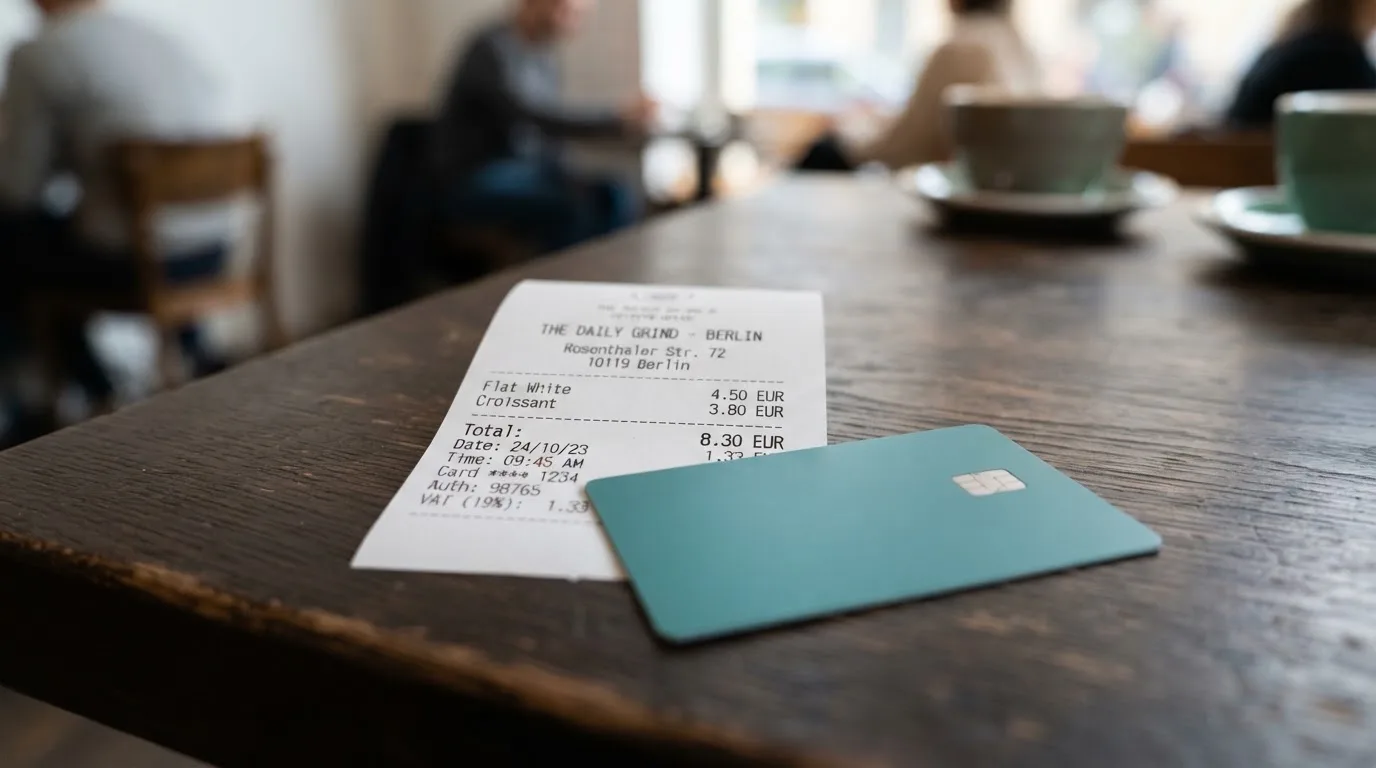
Three everyday payments, and what applies to each.
*Coffee, 5 USD, local currency.* Your USDT is converted at the real-time rate, and whatever retail fee sits in the current terms applies. If the shop is in your own currency and you hold no balance in it, the automatic conversion on international purchases can add a cost on top, at a rate the card does not state. This is the payment where the absence of published numbers bites hardest.
*An online subscription in USD, from your country where the billing address differs.* The card is a Visa with an issuing-country BIN, and merchants look at that. Some countries, regions or industries may decline for compliance reasons, and no blocked-merchant list is given. An address check also runs on many online payments, and it is generally unavailable for foreign-issued cards, which produces declines at cheap, fussy merchants more often than at big ones.
*Withdrawing cash abroad on the metal card.* The first 200 USD in a calendar month is free, then 2%. You are capped at 500 USD a day and five transactions, and a four-digit PIN set at activation. Note also that a cash withdrawal is an authorisation as well as a withdrawal, and declined authorisations can leave a hold on your funds for several days.
There is one more line in the reward structure that belongs in a costs section. Cashback is tiered separately from VIP status: the virtual card pays 2% to 3% a month, the metal card 3% to 5%, tiers rise with monthly spend, and the tier-3 monthly cashback cap is 100 USD on the virtual card and 150 USD on the metal card. Eligible subscriptions earn 20% within that cap. Cashback that offsets a percentage fee is real money, but it is not the same as a fee you can read in advance.
Top up: how the money gets in
One route for now: USDT from your BingX Funding Account, and the card draws on that balance directly. You fund the account in either of two ways — deposit USDT from an external wallet, or buy USDT through Quick Buy or P2P and transfer it. There is no stated top-up fee or minimum for the Visa card, and no multi-currency balance.
That single-coin constraint is the thing to sit with. It is why top-up scored 4 out of 10. If your holdings are spread across other assets, every purchase begins with a conversion you have to make yourself, and that conversion is where a price you can see is charged. Nothing here says you cannot convert other coins on the exchange first; it says the card itself is wired to USDT.
One network point belongs in this section, because it is where money goes missing. Blockchain transfers are irreversible, and a deposit sent on a network BingX does not support, or to an address belonging to a different network, can be lost or need manual recovery with no guarantee. Check the network on both sides before you send anything. On-chain network fees for your deposit are charged by the blockchain, not by the card provider.
Getting out is the other half of the same question. The terms say you end participation by contacting Customer Support and completing closure, verification, repayment or cancellation steps. No timeline for returning a balance and no fee for doing it are stated.
Paying with it every day
This is where the card is genuinely good: 9 out of 10, and nothing about it is complicated. Apple Pay and Google Pay work with both card types, so in practice you tap rather than handle a card. The virtual card is instant and needs no activation, which makes it usable the moment you have it. The metal card adds ATM access and in-store use. Cashback climbs with your monthly spend automatically. Limits are clear where limits are stated: 10,000 USD per transaction and per day, 30,000 USD a month.
Two small frictions to keep in mind rather than worries. A metal card requested today arrives in about 15 to 30 business days after you apply, so the virtual card is the one to start with. And if you travel, the automatic conversion on non-USD purchases applies, at a rate the card does not publish — the fee-free-looking purchase at home is the one to check.
Apple Pay and Google Pay replace your card number with a device-specific number stored on the phone, and each payment uses a one-time code, so adding the card to a wallet is not the same as writing the number down. The issuer can also restrict a tokenised number to specific channels — blocking it on websites or magnetic-stripe payments is a normal control.
On rewards, one thing the card pages do not mention: anything beyond the cashback tiers above. If you have read that the card earns points, that is not in the Visa card documentation.
What can go wrong
The three real exposures are the funds, the freeze button and the paperwork.
*The money is custodial.* Your balance sits in the BingX Fund Account, not in a wallet you hold the keys to. Control of crypto belongs to whoever holds the private key; with a custodial wallet the provider holds the credentials and you must trust them completely. Transfers are typically irreversible, and a stolen key has no built-in recovery — the network cannot freeze or return the funds. Custodial platforms have a history: Mt. Gox, Coincheck and the Ronin Network all involved losses in the hundreds of millions. That is history about the model, not a prediction about BingX.
*The issuer is not named on the card’s own page.* BingX’s launch blog of 13 July 2026 says the Visa Debit Card launched in partnership with Wirex, acting as Banking-as-a-Service provider with Visa principal membership. The card terms page names only “the applicable card issuer” under a Visa licence, and does not mention Wirex. So you have a partner named in marketing and a blank in the document that governs you. This is also not an unusual shape — many crypto cards are front-ends for a licensed issuer, with the exchange as programme manager — but you are entitled to know which institution stands behind the balance you are spending.
*Verification demands can repeat.* The complaint themes reported on a third-party aggregator for BingX in 2026 include restrictions and frozen funds blocking withdrawals, deductions for alleged improper gains or promotion violations, repeated ID and video verification, slow or generic support, forced liquidations and a missing fiat deposit. None of those reports is card-specific, and I want to be clear about that — but they describe the platform your card balance lives on, which is why reliability scored 4 out of 10. The Trustpilot figure for BingX as a whole is 1.5 out of 5 across 766 reviews, with 64% one-star. The same aggregator shows the BingX rating reported at times as unavailable after fake-review enforcement, and at times in a 1.3 to 1.6 range. Card perks and rewards do come up as positive in user forums. Aggregator figures are unofficial and are not confirmed by the card.
*The freeze button.* If a card is lost or stolen you freeze it in Card Management in the app and contact support. BingX also lists a Shield Fund, 3-D Secure, two-factor authentication, end-to-end encryption and instant transaction alerts. Authorization holds can last up to 30 days, which is a long time to have money tied up after a declined or duplicated payment.
*Disputes.* The terms say to report unauthorized or incorrect transactions as soon as you are aware of them. BingX investigates and may credit the account “within a reasonable period” — no number of days. Refunds are not guaranteed and can be reversed. Disputes with BingX go to 30 days of negotiation, then SIAC arbitration. Whether a Visa chargeback route applies is not stated.
*Support.* There is a Customer Support and Help Center on the exchange’s site. The card pages name no email address, no Telegram channel and no opening hours.
One older and less relevant line, since it causes confusion: an earlier Euro Mastercard programme page listed KYC as unavailable in many countries including Cuba, Iran, Russia, Ukraine, Pakistan, Nigeria and mainland China. That page belongs to a different programme. Current availability follows the region list above.
What to take instead
If the deciding factor for you is published numbers, every alternative below is easier to cost than this card. Here is how the three most comparable options line up, with the caveat that availability is narrow for all of them.
| Alternative | Score | Who it’s for | Cost and fees |
|---|---|---|---|
| BingX card | 5.8 / 10 | BingX users holding USDT, in Europe (EEA), APAC, LATAM and other selected regions | Virtual free, Metal 180 USD; purchase fee and FX rate not published |
| Bybit Card | 6.0 / 10 | Argentina, AIFC (Kazakhstan), Georgia, Kazakhstan, Australia, Mexico, Brazil, Peru, Asia Pacific — EEA participation prohibited | Virtual issuance free “until further notice”; crypto conversion 0.9% over the One-Click Sell rate (0.5% Argentina); FX 2% on top of the network rate, 1.5% Brazil, 1% Peru, 7% Argentina |
| Coinbase Card | 6.4 / 10 | All US states except Hawaii | Zero spending fees, no annual fees; no Coinbase transaction fee, but a spread applies when crypto is converted |
| OKX | 6.2 / 10 | EU plus Norway, launched 28 January 2026; Iceland and Liechtenstein excluded | No card fee; no transaction fee and no OKX FX fee; conversion spread quoted as 0.1% by a May 2026 explainer against 0.4% in the launch release |
Bybit Card is the closest thing to a like-for-like rival, and it publishes what BingX does not: exact conversion and FX percentages by country, issuance prices per region, and a rewards table running from 2.00% at base to 10% at the top tier with monthly caps. It also restricts itself from Europe explicitly, where BingX says Europe (EEA) is included — the two cards point in opposite directions. Bybit’s card draws on a Funding Account and Easy Earn balance, fiat first, and sells crypto if fiat runs out; BingX’s draws on USDT in the Fund Account. Bybit requires the virtual card first and does not offer a physical card in Peru.
Coinbase Card is for one country. If you are in the United States outside Hawaii, it is a Visa prepaid debit card, virtual or physical, with zero spending fees and no annual fees, funding from a linked bank account or a paycheck deposit, plus optional crypto rewards on every purchase. The conversion cost sits in the spread Coinbase charges when it buys, sells or trades crypto. Outside the US it is not an option.
OKX is a virtual Mastercard denominated in euro and linked to OKX Pay, funded from USDC or USDG, with no card fee, no transaction fee and no OKX FX fee. It is the newest of these — launched 28 January 2026 — the issuer is an unnamed European licensed payment provider, and its own materials disagree about the conversion spread, which is exactly the kind of thing that should make you read twice.
One background point that applies to all four. Visa and Mastercard do not issue crypto cards to consumers themselves; they license issuers and can suspend a programme. Visa terminated its global agreements with FTX on 13 November 2022 and the FTX US debit card was wound down. WaveCrest, an issuer that supplied crypto card brands, was suspended by Visa in Europe in 2018, closing all its Visa programmes. Programme closures typically mean a notice period, then loading and spending stop, then you are asked to withdraw what is left. That is not a prediction about BingX — it is the shape these closures take.
Who I would recommend it to
I would recommend the BingX card to you if all three of these are true. You already hold USDT on BingX and would rather not move it before spending. You are in Europe (EEA), APAC, LATAM or another region the card page covers, and you are willing to ask support whether your specific country is on the list. And you mostly spend in USD, or in your own currency in small amounts, where an unquantified conversion cost will not dominate what you are buying.
I would point you elsewhere if any of these is true. You need to know the exact cost of a purchase in advance — read the current terms first, and if the rates are not there, that is your answer. You are outside the listed regions. You want to hold your own keys. You want a card that works at every shop without your having to think about which country the card looks like it came from. Or you are uneasy about a platform whose public complaint record is 1.5 out of 5 across 766 reviews, where repeated verification demands and frozen withdrawals are recurring themes.
Start with the virtual card. It is free, instant, and if it does not behave the way you expect, you have spent nothing.
Frequently asked questions
What is the BingX card?
It is a Visa debit card that spends the USDT held in your BingX Funding Account. Two versions exist: a virtual card issued instantly with no activation step, and a metal card posted to the address you give, in about 15 to 30 business days. Both settle in USD. The metal card adds ATM access, with the first 200 USD a month free and a 2% fee after that, plus higher cashback tiers than the virtual card.
Is BingX a bank, and who actually issues the card?
No, BingX is a cryptocurrency exchange, not a bank. Its launch blog of 13 July 2026 says the Visa Debit Card launched in partnership with Wirex as a Banking-as-a-Service provider with Visa principal membership. The card’s terms page does not name Wirex, referring only to “the applicable card issuer” under a Visa licence. This shape is normal for the category, but the legal counterparty sits in the terms, not the marketing.
Which countries can get the BingX card?
The card page lists Europe (EEA), APAC, LATAM and “other selected regions”, and publishes no country list at all. The terms require you to be 18 or older, live in a supported country, and hold a BingX account. If your country is not obviously inside one of those four groups, ask support before you apply — the list can change.
Does the BingX card require KYC, and how long does it take?
Identity verification is required, and the guide says your information must meet the rules of your country. The card’s public pages do not state the document list, the verification tiers for the Visa card, or the processing time. An older Euro Mastercard page described automated review usually finishing in one workday, but that was a different programme and I would not plan around it.
How do I top up the BingX card?
Only with USDT, and only from your BingX Funding Account, at least for now. You fund that account either by depositing USDT from an external wallet or by buying USDT through Quick Buy or P2P and transferring it. No top-up fee or minimum is stated for the Visa card. Check the network carefully before depositing from elsewhere — transfers are irreversible.
What does it cost to use the BingX card day to day?
The virtual card is free with no annual fee, and the metal card is 180 USD for non-VIP, non-agent users. Beyond that, the card’s pages point to fees in the current terms without giving rates, and say a currency conversion cost is possible on non-USD purchases without stating the rate. ATM is metal-only: first 200 USD a month free, then 2%, capped at 500 USD a day and five transactions.
Can I use it with Apple Pay and Google Pay?
Yes, both wallets are supported for both the virtual and metal card, which is the most practical part of the offer — you tap rather than handle a card. Some countries, regions or industries may decline the card for compliance reasons, and no blocked-merchant list is published. A foreign-issued card can also fail an address check at some online merchants, which is a technicality rather than a rule.
Is the BingX card safe for large balances?
Understand what you are accepting before you do. The balance is custodial, held by BingX rather than by you, so it carries counterparty and hack risk that a self-custody wallet does not. BingX lists sensible safeguards — a Shield Fund, 3-D Secure, two-factor authentication, end-to-end encryption and instant transaction alerts — and you can freeze a lost card in the app. Use it for spending, not as a store of value.
What are the limits, and can I use it abroad?
Limits are 10,000 USD per transaction and per day, and 30,000 USD per month. On the metal card, ATM withdrawals are capped at 500 USD a day and five a day. Abroad, automatic currency conversion applies to non-USD purchases at a rate the card does not publish, so the true cost of a foreign purchase is not knowable in advance from the card’s own documentation.
Is it worth it compared with Bybit, Coinbase or OKX?
Worth it if you already sit on USDT inside BingX — it removes a manual conversion step. Not worth the uncertainty if you need published rates: Bybit lists exact conversion and FX percentages by country plus a full rewards table, Coinbase Card charges zero spending fees with no annual fee but only in US states except Hawaii, and OKX charges no card or FX fee for EU and Norwegian users. Compare against those on cost, not on features.
How do I get money off BingX if I stop using the card?
Contact Customer Support and complete the closure steps — the terms describe verification, repayment or cancellation as part of ending participation. They do not state a timeline for returning your balance or any fee for doing it. Ask for both in writing before you close anything, because once loading and spending stop, the balance is what you have.
Exchange cards – cryptocardsearch.com
Content created by the «cryptocardsearch.com» team