
A USDT-funded Visa in four finishes, with fees you should read twice
 Available in US
The Tevau card is a Visa that you load with USDT and spend anywhere Visa is taken, including through Apple Pay and Google Pay. It comes in four versions, from a $20 virtual card to a $499 24K Gold piece (unofficial prices), and the company says it works in 200+ countries. The headline is appealing, but the small print matters: there is a 1% top-up fee, a 1.2% charge on any payment that is not in US dollars, a 1.9% ATM fee, and a $3 monthly inactivity charge once you stop transacting for 90 days. I spent time going through the published fee tables and the help-centre pages, and the picture I came away with is a card that is fine for a USDT holder who already knows they will spend in US dollars, and less convincing for anyone who needs multi-currency balances, fiat on-ramps, or cashback.
Conditions on this page are current as of October 28, 2026.
Verdict
Tevau scores 6.0 out of 10 in my review. That is a middling mark that reflects a real split: a strong product on the everyday-use side, but a weak one on cost, on top-up flexibility, and on the basics you would want to check before trusting a custodian with your balance.
| Criterion | Mark | Why it got that mark |
|---|---|---|
| Who can get it | 9 / 10 | The site claims 200+ countries, with availability that varies by region; full country list and exclusions are not published. |
| Cost | 4 / 10 | Virtual $20, plastic $100, metal $199, 24K Gold $499 (unofficial pricing per third-party sources); 1% top-up, 1.2% on non-USD payments, 1.9% ATM, $0 monthly, $3 after 90 days inactive. |
| Top-up options | 4 / 10 | USDT only; the app shows the network to use but the page does not name supported networks; no fiat top-up stated. |
| Reliability and complaints | 4 / 10 | Hong Kong office, issuer not named, claimed Bank of Canada PSP registration is not independently verified; no complaints or independent reviews found. |
| Everyday use | 9 / 10 | Virtual, plastic, metal and 24K Gold, all with Apple Pay and Google Pay; ATM on the physical cards. |
| Total | 6.0 / 10 | A reasonable USDT-to-Visa bridge for a narrow audience, weighed down by fees and an opaque company setup. |
The card is built for a specific reader: someone who already holds USDT, who mostly pays in US dollars or accepts paying a 1.2% FX fee, and who wants a Visa they can add to a phone wallet. If that is you, the experience is straightforward. If you want a card that you can top up from a bank, that pays you cashback, that you can use in a non-USD currency without a 1.2% haircut, or that is issued by a household-name bank you can read about on the regulator’s own website, Tevau is the wrong card to start with.
Who will they give you the card
Tevau’s own page says the card is available in “200+ countries”, with availability that “varies by region”. The full country list and the list of excluded jurisdictions are not published. That is worth pausing on: a typical card programme either publishes a list of supported countries or has it in the terms of service. With Tevau, the only public statement is the “200+ countries” line, and the rest is decided at sign-up.
KYC is mandatory. Tevau’s safety FAQ says identity verification is required before the card can be used, and the help-centre walkthrough describes a single KYC flow rather than tiers: one government-issued ID (passport, driving licence or national ID) plus a selfie in the app. You have to be 18 or older. The exact documents requested, whether proof of address is ever needed, and how long approval takes are not stated as policy. The independent information site that catalogues these steps warns that blurry photos are the most common reason for a re-submission, which is practical advice rather than a Tevau rule.
A note on “200+ countries”: the help-centre page that lays this out sits on tevau.co, a site whose own footer says it is “an independent information site, not Tevau itself”, while the product pages for the card live on the same domain. Treat the country figure as a marketing claim until you can complete sign-up from your own country, and do not assume it covers the country you actually live in.
How to get it
Tevau issues Visa cards in four formats: Virtual, Plastic, Metal and 24K Gold. The card currency is not stated on the public pages, and the help-centre walkthrough I worked from does not name it either. The product page does say the card balance is loaded in USDT and converted at checkout to whatever currency the merchant charges you in.
The application itself runs in the Tevau mobile app. The Virtual card is issued instantly once KYC clears, which is useful if you want to add it to Apple Pay or Google Pay straight away. The Plastic, Metal and 24K Gold are physical cards and need to be shipped. The help-centre says “card shipping and replacement are free”, but the countries the card is delivered to are not specified, and the delivery time is not stated. If the card has not arrived within 14 days, the advice is to check the tracking code first and then contact in-app support. That is a sensible fallback rule, and the only one published.
The KYC flow is the standard one I described above: one government ID and a selfie. There are no published tiers of verification, no spend limits that scale with how many documents you hand over, and no separate business or premium KYC path that I could see. That keeps the process short, but it also means the company has not published how it handles a borderline application, a sanctions hit, or a request to lift a spending cap.
What it really costs
The pricing has two parts: the price of the card itself, and the cost of moving money in and out. Both are worth reading carefully, because Tevau’s published figures are not all in one place, and some of them only appear in the help-centre rather than the product pages.
| Fee or limit | Amount |
|---|---|
| Virtual card, one-time | $20 (unofficial) |
| Plastic card, one-time | $100 (unofficial) |
| Metal card, one-time | $199 (unofficial) |
| 24K Gold card, one-time | $499 (unofficial) |
| Monthly fee | $0 |
| Close-card fee | $2 |
| Card validity | 3 years |
| Top-up (USDT to card balance) | 1% (Gold: 0.5% (unofficial) on up to 5 top-ups per month) |
| USD payment | $0.20 + 0.5% (unofficial) |
| Non-USD payment | 1.2% |
| USD ATM withdrawal, paid in local currency | No FX fee, but local bank’s rate applies |
| ATM fee | 1.9% |
| Small authorisation (up to $3) | First 5 per month free, then $0.20 (unofficial) each |
| Declined transaction | First 3 per month free, then $0.50 (unofficial) each |
| Inactivity | $3 after 90 days without a transaction, then $1 every 30 days |
A few of those lines deserve a second look:
- The 1% top-up fee is charged when you move USDT from your Tevau wallet to the card balance. Moving USDT into the wallet itself is described as “no fee”, so the 1% only kicks in at the moment you decide to spend.
- The non-USD payment fee of 1.2% is on top of whatever rate Tevau applies to convert. Tevau’s help-centre mentions an “FX rate spread for overseas spending” but does not quantify it, so the 1.2% is a floor, not a ceiling, on what you actually pay in a foreign currency.
- ATM withdrawals in USD are described as having no FX fee from Tevau, but the local bank’s rate still applies, plus the 1.9% ATM fee. If you take out the local currency, you are paying the 1.9% plus whatever spread Tevau applies to convert your USD balance.
- The inactivity fee is unusual. There is no monthly fee as long as you keep transacting, but if you go 90 days without a transaction you are charged $3, then $1 every 30 days after that. If you only use the card occasionally, the inactivity charge is a real risk.
A few everyday payments, to put those numbers next to real spend:
- A $50 coffee in New York, paid in USD on a Plastic card. Top-up to the card balance cost 1% (so $0.50 (unofficial) on the $50 load), and the USD payment fee of $0.20 + 0.5% (unofficial) is another $0.45 (unofficial). Total Tevau-side cost on that coffee: about $0.95 (unofficial), or just under 2% (unofficial).
- A €40 dinner in Paris, paid in EUR. The 1% top-up fee is unchanged, but the non-USD payment fee of 1.2% adds €0.48 (unofficial) on top of the $0.20 + 0.5% (unofficial) USD conversion fee. Add any FX spread Tevau does not publish, and the total cost is likely higher.
- A $200 ATM withdrawal in US dollars while travelling in Mexico. The 1.9% ATM fee is $3.80, and because you are taking USD out, Tevau says there is no FX fee from them, but the local ATM operator will charge its own fee on top, and the spread between the USD and the peso still applies at the merchant or the local bank.
There are also some limits worth noting. The card-level limits, again from the help-centre rather than the product page, are unusually high and unofficial. The Virtual and Plastic cards have a per-transaction limit of 3,000,000 USD (unofficial). The Plastic card has an ATM limit of $3,000 per day, $10,000 per month, with 3 ATM withdrawals per day and 30 per month. The Metal and 24K Gold cards have a per-transaction limit of 80,000 USD (unofficial). The daily non-ATM and monthly spend limit is 3,000,000 USD (unofficial) on all card types, which is high enough that it is unlikely to bite anyone in practice. The 24K Gold has its own quirk: the $499 fee (unofficial) is refunded after $100,000 (unofficial) of spend within three months, and you can hold up to two virtual and five physical cards on the same account. The help-centre’s Gold section also says the top-up discount works on “up to 5 top-ups per month”, but the phrasing is slightly different in the fee table (“50% discount on up to 5 top-ups”), so I would confirm the exact mechanic with support before relying on it.
One last thing on cost: a Product Hunt listing by the maker says the virtual card costs $10, which contradicts the help-centre’s $20. I would not weight that listing as authoritative, but if you are signing up specifically for the cheapest entry point, the figure you see at the in-app checkout is the one to trust.
Top up
Tevau funds from a single token: USDT. The product pages and the help-centre walkthrough both say the app shows you the network to use, but the public pages do not name which networks are supported. Tether’s USDT exists on several chains, and not all of them are interchangeable: an ERC-20 USDT transfer on Ethereum and a TRC-20 USDT transfer on Tron are different transactions, with different fees and different addresses. The help-centre says funds sent on the wrong network are not recoverable, which is the standard situation for any crypto deposit and is worth taking seriously.
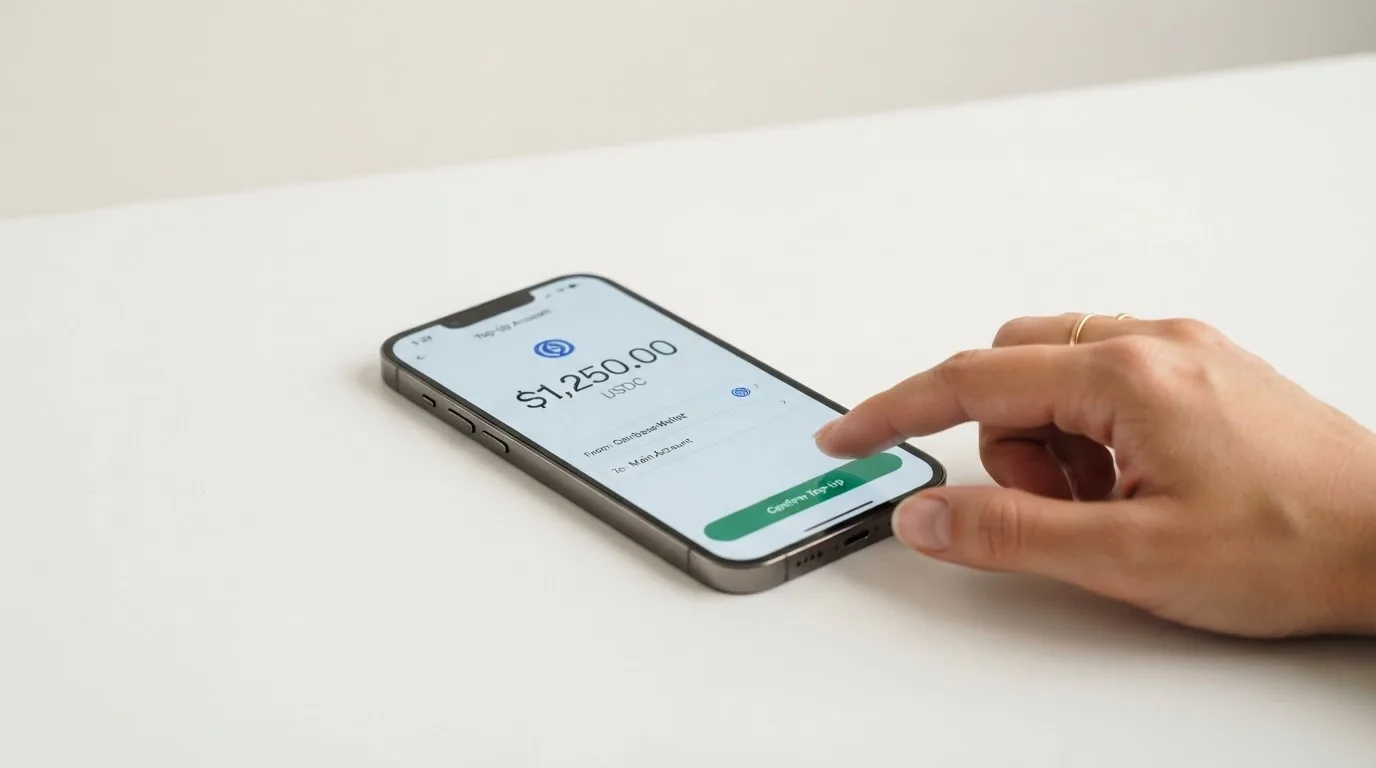
The 1% top-up fee is the headline cost. Moving USDT from your external wallet into your Tevau wallet is described as free; the 1% is charged when you then move that USDT from the Tevau wallet onto the card balance. If you top up frequently, the Gold card’s 0.5% (unofficial) on up to five top-ups per month is a real saving. There is no published minimum top-up. Fiat top-up is not stated; the help-centre links a “Withdraw to bank (IDR supported)” guide, which suggests an Indonesian-rupiah bank withdrawal path on the wallet side, but the page I worked from does not describe it as a funding method for the card.
The narrower the top-up options, the more important the network question becomes. A USDT holder on Ethereum, Tron or Solana will be fine if Tevau supports the network they already use; a holder on a less common chain, or anyone who wants to top up from a bank account or a card, has no published path to do so. If your plan is to convert your USDT to a card balance once a month and spend it down, the 1% is manageable; if you top up after every spend, you are giving back a meaningful slice of what you put in.
Paying with it every day
In day-to-day use, Tevau is shaped like a modern prepaid card. The Plastic, Metal and 24K Gold work at any merchant that takes Visa contactless, and all four card types can be added to Apple Pay and Google Pay. That is the most useful everyday feature, because it means the plastic version of the card is optional for most people in countries with strong contactless infrastructure.
The Tevau iOS app is published by Tevau Technology Limited, with a 4.4 out of 5 rating from 7 ratings as of 20 October 2026, and a current version of 2.0.010 dated 11 September 2026. The Android listing exists on Google Play under the package name uni.UNI2317D55, but the rating is not shown on the page I worked from, so I cannot give a comparable score. There is no mention of cashback on the public pages, and no published rewards programme.
A few things that the help-centre flags, and that you should know before relying on the card at a specific merchant:
- Some merchants decline prepaid or crypto-funded cards outright, and the help-centre warns that OpenAI billing is not supported. Other blocked merchant categories are not stated, so the safest assumption is that there are some, and you may only find out at the checkout.
- Declines and refunds can occasionally be delayed, per the help-centre’s disputes page. A pending authorisation can hold funds for several days, which is normal for card payments in general but worth knowing if you are spending close to your balance.
- A frozen account has to be re-verified in person through support, which is a reminder that the KYC step is not a one-time hurdle: it can come back if the company’s risk system flags a transaction.
What can go wrong
The reliability score is the lowest of the four everyday scores, and that is not a coincidence. The help-centre and the corporate pages give a partial picture, and the missing pieces are exactly the ones a careful reader would want to see.
Tevau is headquartered in Hong Kong and the company says it launched in 2024. The card issuer is not named on any of the public pages I worked from, which is a meaningful gap: a Visa debit card is issued by a bank or an e-money institution under licence from Visa, and that issuer is the entity you have a contract with for the purposes of disputes, chargebacks and the safeguarding of your balance. The product pages also claim that Tevau’s Payment Service Provider registration with the Bank of Canada was approved in August 2026, but that claim is on the company’s own site and is not independently verified by the time of writing.
The security model is custodial. The help-centre says assets are “stored with licensed custodians” and that the platform separates hot and cold wallets, and a security update was published on 21 August 2026 covering suspicious transactions and risk-control upgrades. Two-factor authentication and insurance are not stated. The published safety advice if a card is stolen or leaked is to lock the card in the app and then close it; a frozen account must be re-verified personally through support.
On support, the help-centre describes an in-app chat that starts with a bot and escalates to a live agent on request, with “business hours” left undefined. There is a Help Center at /faqs/, a Telegram community at t.me/tevau_community, and an X account at @tevau_official. The website itself is offered in 17 languages, including Russian, although the support channels’ actual language coverage is not confirmed.
Two things to read carefully:
- The site’s own footer describes it as “an independent information site, not Tevau itself”, which is on the same domain as the /card/ pages. I have not been able to confirm whether tevau.co is a Tevau-owned information site or genuinely independent. The fees, limits and KYC flow I quote here come from that site, and they read like a polished walkthrough rather than a third-party review, but the disclaimer is there and I would want a primary source for the most important numbers before signing up.
- No independent complaints were found: there is no Trustpilot page for Tevau, no Reddit thread of substance, and no independent review of the card. That is not a verdict on the company, but it does mean the picture you can build from public material is necessarily incomplete.
The corporate page also states plainly that Tevau is not a bank licensed in Japan, the US or the EU, and that home-country deposit protection may not apply. That is the regulator’s standard warning for any non-bank card programme, and it is the right one to keep in mind for a custodial product.
What to take instead
The three cards I looked at as alternatives are not perfect matches, but each one addresses at least one of Tevau’s weak points: cost, fiat funding, or cashback. None of them is a straight swap for a USDT holder, so the right pick depends on what you are trying to fix.
Bitrefill, score 6.8 out of 10. A virtual and physical Visa card that you can buy with Bitcoin, Lightning, Ethereum, USDC, USDT, Solana and several other options, plus Apple Pay, Google Pay, Visa and Mastercard at checkout, with a SEPA pay-in path in the terms. The card is free through the app per the product page, with an inactivity fee kicking in after 12 months without spending. The published cashback is 2% with no cap, split as 1% on each crypto deposit and 1% on each purchase, although the payout currency is not stated on the page. The country list is not published, and access is “subject to eligibility criteria” and to “further eligibility requirements, established and verified by our partners”. The trade-off against Tevau is clearer fiat funding and a real cashback programme, in exchange for an opaque eligibility check.
UPay, score 6.1 out of 10. A virtual and physical card with personal and business options, payments converted to USD, EUR, AED and other currencies, and a wallet that takes BTC, ETH, USDT and USDC. The site claims 180+ countries, with the caveat that “UPay does not serve residents of certain countries” and the list may change. Card costs, FX and conversion fees are not stated, which is itself a reason to be careful. Cashback is not stated on the card page; the home page lists an “Earn While You Sleep” product by title only. The trade-off against Tevau is a wider set of supported tokens and currencies, at the cost of published pricing.
Kemy, score 6.0 out of 10. Unlimited virtual cards on Visa, one physical Mastercard per user, claim of “190+ countries” with “a few restrictions” checked at sign-up. Pricing is on the higher side: a $15 issuance for the virtual card, valid 3 years, plus a $2 monthly fee; a $250 issuance for the physical card, with DHL Express shipping included, valid 3 years, plus a $10 monthly fee. Funding is in USDT and USDC “on the main networks” (specific chains not listed), plus BTC, ETH and SOL via on-ramp, plus mobile money and virtual bank accounts. Cashback is not mentioned. The trade-off against Tevau is fiat and on-ramp funding and a real physical card with Mastercard acceptance, at the cost of a much higher monthly fee.
| Card | Score | Funding | Cashback | Monthly fee | Notable trade-off |
|---|---|---|---|---|---|
| Tevau | 6.0 / 10 | USDT only | None | $0 (inactivity fee after 90 days) | 1% top-up, 1.2% on non-USD |
| Bitrefill | 6.8 / 10 | BTC, ETH, USDC, USDT, SOL, others, SEPA | 2% no cap | $0 (inactivity after 12 months) | Eligibility check opaque |
| UPay | 6.1 / 10 | BTC, ETH, USDT, USDC | Not stated | Not stated | Fees not published |
| Kemy | 6.0 / 10 | USDT, USDC, BTC, ETH, SOL, mobile money, bank | Not stated | $2 (virtual) / $10 (physical) | High monthly fee |
If I had to swap a Tevau virtual card today, I would look at Bitrefill first, because the cashback is real and the funding list is longer. If I needed a physical card, I would look at Kemy, accepting the higher monthly fee in exchange for the Mastercard acceptance and the fiat funding. UPay is a wait-and-see: the supporting data on the public pages is too thin to recommend, and I would only go there after the published fees catch up.
Who I would recommend it to
Tevau is a sensible pick for a narrow reader. If you are a USDT holder, if you mostly spend in US dollars or are willing to pay a 1.2% conversion fee on non-USD spend, if you want a Visa you can add to Apple Pay or Google Pay without a long wait, and if you are comfortable with a custodial product from a Hong Kong-headquartered company whose card issuer is not publicly named, the $20 virtual card and the $100 plastic card will do the job. The Gold card is the one to skip unless you will actually spend $100,000 (unofficial) in three months, because the $499 fee (unofficial) is the realistic cost otherwise.
Tevau is the wrong pick if any of the following applies: you want to top up from a bank account or a non-USDT balance, you want cashback on your spend, you want a card from a named bank or e-money institution that you can find on a regulator’s register, you want to hold multi-currency balances, or you want a fee structure that does not include an inactivity charge after 90 days. The product does not currently do any of those things, and there is no public roadmap that suggests they are coming.
The honest summary is that Tevau is a USDT-to-Visa bridge with reasonable everyday mechanics and a price that you should plan for. For the audience it is built for, it is fine. For everyone else, there are better fits in the same category.
Frequently asked questions
What is the Tevau card?
Tevau is a Visa debit card in four formats (Virtual, Plastic, Metal and 24K Gold) that you load with USDT and spend wherever Visa is taken, including through Apple Pay and Google Pay. The card balance is denominated in USDT and converted to the merchant’s currency at the point of payment.
How does the Tevau card work?
You complete KYC in the app, top up your Tevau wallet with USDT, then move the USDT from the wallet onto the card balance. When you pay, Tevau converts the USDT to the merchant’s currency, charges a 1% top-up fee on the load, and applies either $0.20 + 0.5% (unofficial) on USD payments or 1.2% on non-USD payments, plus any FX spread.
Is Tevau a bank?
No. The product pages state that Tevau is not a bank licensed in Japan, the US or the EU, and that home-country deposit protection may not apply. The card issuer is not named on the public pages I worked from.
Who owns Tevau?
Tevau Technology Limited, headquartered in Hong Kong, with a claimed launch in 2024. The corporate pages also claim a Payment Service Provider registration with the Bank of Canada approved in August 2026, which is not independently verified by the time of writing.
Is the Tevau card available in my country?
Tevau says the card is available in 200+ countries with availability that “varies by region”, but the full country list and the list of excluded jurisdictions are not published. The only reliable way to confirm is to start sign-up from your own country and see whether KYC can be completed.
Does the Tevau card require KYC?
Yes. KYC is mandatory before the card can be used, and the help-centre describes a single flow: one government-issued ID (passport, driving licence or national ID) plus a selfie in the app. You have to be 18 or older.
How do I top up the Tevau card?
You fund your Tevau wallet with USDT, then move USDT from the wallet to the card balance. The app shows the network to use, but the help-centre does not publish which networks are supported, and funds sent on the wrong network are not recoverable. There is a 1% top-up fee (0.5% (unofficial) on up to five top-ups per month for the 24K Gold card).
How do I add the Tevau card to Apple Wallet or Google Pay?
All four card types support Apple Pay and Google Pay, including the virtual card. The standard tokenisation flow runs inside the Tevau app: open the card, choose “Add to Wallet”, and complete the issuer’s verification step on the phone.
Is the Tevau card safe?
The card is custodial: the help-centre says assets are “stored with licensed custodians” and that the platform separates hot and cold wallets. A security update was published on 21 August 2026. Two-factor authentication and insurance are not stated, the card issuer is not named, and there are no independent complaints or reviews in the public record. Treat the product as you would any other custodial crypto card.
How do I close my Tevau account?
Closing a card costs $2 and is final: the remaining balance is returned to the Tevau wallet, the application fee is not refunded, and a closed card cannot be restored. A virtual card with no transactions for four consecutive months closes automatically, and an inactive card attracts a $3 monthly fee after 90 days without a transaction, then $1 every 30 days.
Virtual cards – cryptocardsearch.com
Content created by the «cryptocardsearch.com» team