
Keytom review: a plain USDC-funded Visa card, priced above most rivals
 Available in US
The Keytom card is a Visa you load with USDC and spend like an ordinary payment card, with a virtual version issued free and a physical one sent out for a fee. It is not complicated, and that simplicity is both its strongest point and its clearest limit: there is one card currency, one balance asset, one fee schedule, and not much beyond that. My score for it is 6.0 out of 10. It is a competent, plain card with an expensive non-USD rate and an expensive ATM rate, and the people it serves best are those already holding USDC who want to spend it in dollars without thinking about crypto each time.
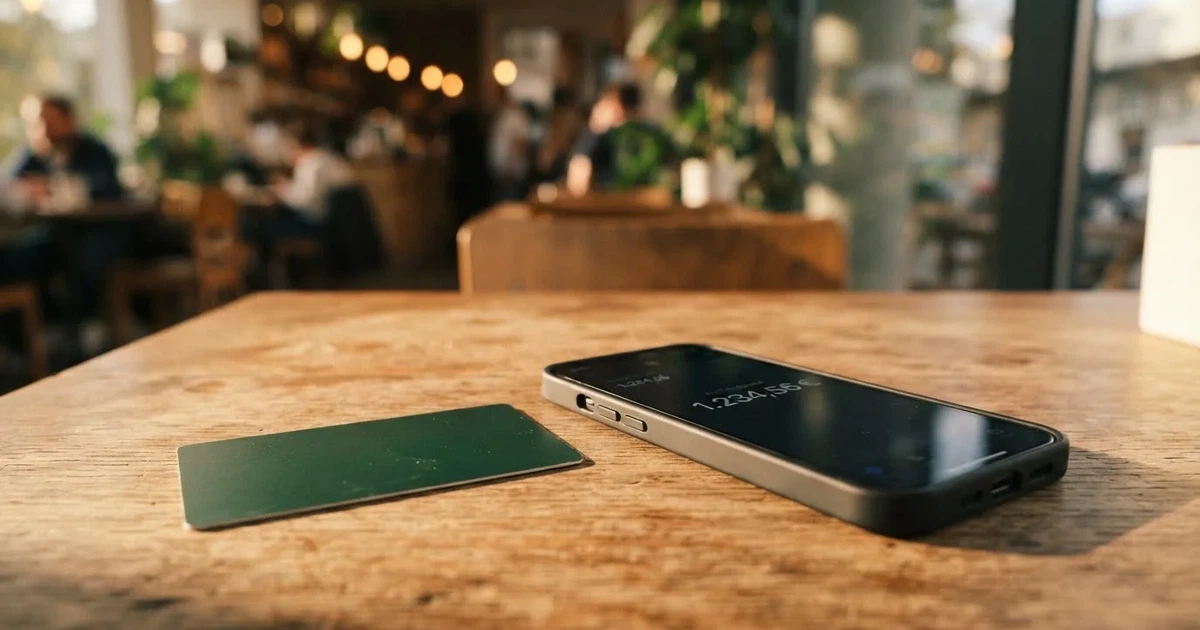
The conditions described here are current as of October 28, 2026.
What the score actually says
| Criterion | Mark | Why |
|---|---|---|
| Who can get it | 8 / 10 | Claims “150+ countries”, with a written list of prohibited jurisdictions including Russia, Belarus, Ukraine, Serbia, Ghana, Uganda, Iran |
| Cost | 3 / 10 | Virtual issue free, physical delivery 50 USDC, monthly fee 10 USDC; USD payments 1%, other currencies 2.35%, ATM 2% |
| Top-up options | 4 / 10 | USDC balance, top-up by card via Visa Direct, or direct USDC top-up; networks not named |
| Reliability and complaints | 7 / 10 | KEYTOM SERVICES LTD, a Canadian money services business registered with FINTRAC (MSB M21788474), issuer not named; Trustpilot 4.3 out of 37 reviews, with complaints about a delayed referral reward |
| Everyday use | 8 / 10 | Virtual and physical Visa, Google Pay and PayPal, ATMs up to USD 3,000 a day; Apple Pay not yet available |
| Total | 6.0 / 10 |
The high marks and the low mark sit in different columns, and that is the whole picture. Wherever the card is simply a Visa that works, it does well. Wherever money actually moves, the cost climbs.
Who it suits
If you already sit on USDC, want a dollar-denominated card, and would rather not convert to euros or pounds first, this is a workable tool. The free virtual card, the free account, the presence of Google Pay and PayPal, and a soft transaction limit around USD 150,000 all point to ordinary daily use rather than a specialist product. If you travel in the United States and spend mostly in dollars, the 1% payment fee is tolerable.
Who it does not suit
If you live outside the dollar zone, the 2.35% non-USD payment fee is the number that decides it, and it is close to the top of what comparable cards charge. If you need cash, 2% at the ATM in dollars and 3.35% in other currencies is expensive. If you bank entirely in euros and hold no crypto, you are paying to convert twice. If Apple Pay matters to you, it is not there yet. And if you want a card that tells you who stands behind it, the issuing bank is not named on the public pages.
Will they give you the card
The card’s own material says it is for residents of “150+ countries”, while noting that availability may be subject to residency restrictions. That sentence is doing more work than it appears to. “150+ countries” describes the size of the list, not a promise to every reader inside it.
There is a written Customer Acceptance Policy, and it sets out prohibited jurisdictions including Russia and Belarus, along with Ukraine, Serbia, Ghana, Uganda and Iran. The rule is broader than your address. Clients with direct or indirect links to a prohibited jurisdiction cannot be onboarded, and that includes the ultimate beneficial owners — the people who ultimately own or control the business — where they reside in, or hold citizenship of, a prohibited place. Worth knowing, because citizenship can reach you through an entity you do not control yourself.
The same policy does draw one useful line. Place of birth, or a former citizenship, on its own does not disqualify you, if you hold a valid residence permit or citizenship in an eligible jurisdiction and pass enhanced due diligence. In other words, the test is primarily where you live now, with citizenship as an additional screen on top. Note that this policy page is written for corporate clients, so the individual side of the application follows the same general logic but the detail sits elsewhere.
One thing the public pages do not say: the card page itself never uses the term “KYC”, and it does not state which documents individuals must supply, what proof of address is needed, or a minimum age. Those details are covered in the FAQ section.
How to get it
You sign up in the app, on iOS or Android. The physical card has been orderable in the app since June 2026, per a third-party comparison site whose page was updated on 11 August 2026 — that source is unofficial and not something the card itself confirms.
The card comes in two forms, virtual and physical, both Visa. The important thing to understand is what sits behind the number: it uses a credit BIN, but it spends your own balance rather than extending credit. Nothing is lent to you, so there is no statement, no interest, and no debt. The card is USD only and that cannot be changed. It is valid for up to five years. You can hold at most two cards, one virtual and one physical, and both support contactless.
On paperwork, the card’s own pages describe two-factor authentication, transaction monitoring and anti-money-laundering procedures, and say that Keytom may request verification information under its AML Policy. The pages define no tiered verification levels. What is not stated is the processing time and any official list of rejection reasons — so if you are refused, you may find yourself asking why.
A third-party site, cryptocardhub in August 2026, reports that applicants are asked for a passport, national ID or residence permit, a selfie with a liveness check, proof of address, and source-of-funds evidence when requested, and that applicants must be 18 or over. That is unofficial information and I could not confirm any of it against Keytom’s own pages. Prepaid and debit cards are generally available to adults aged 18 and up, so the age floor is unsurprising, but the document list is worth confirming yourself before you start.
Delivery of the physical card takes about 14 days and costs 50 USDC. Countries served are not listed, and the FAQ warns that issuance, delivery and payments “may be limited or unavailable in some jurisdictions”. The cost of a replacement card is not stated. Keytom may also ask about a transaction from time to time, or ask for verification around unusual activity.
Fees: what a Keytom payment actually costs
This is where the card loses most of its points, so I want to be concrete rather than rhetorical. Here is every published figure.
| Fee or limit | Value |
|---|---|
| Virtual card issue | Free |
| Physical card delivery | 50 USDC, about 14 days |
| Monthly card fee | 10 USDC per card (charged when the balance covers it); USD 20 with both cards |
| Card payment in USD | 1%, minimum 0.66 USDC |
| Card payment in other currencies | 2.35%, minimum 0.66 USDC |
| Crypto-to-USD conversion | Weighted average of the top 5 exchanges (per the FAQ) |
| ATM, physical card, USD | 2%, minimum 0.66 USDC |
| ATM, physical card, other currencies | 3.35% |
| ATM limits | Up to USD 3,000 a day and USD 10,000 a month; 3 withdrawals a day, 30 a month, USD 100,000 a year |
| ATM operator fees | Operators may add their own |
| Virtual card at ATMs | Contactless ATMs only |
| Soft transaction limit | About USD 150,000 per transaction; no fixed cap on the number of transactions or on monthly spend |
| Cashback or rewards | Not stated on the card page |
There is a single tier. No paid plan, no cashback rate, no perks ladder. The free virtual card is the free virtual card, the physical card costs 50 USDC to arrive, and the monthly fee is 10 USDC per card. If you hold both, that is USD 20 a month before you have spent anything.
Now let me run three ordinary payments through those numbers, because that is where the fee table turns into something you can feel.
A USD 20 subscription in New York. You pay 1%, which is 0.20 USDC, and you are above the 0.66 USDC minimum, so the minimum does not bite. Twenty USDC a month becomes twenty-two. There is no cashback to offset it, so the card costs you nothing at the point of use and one percent for the convenience.
A EUR 40 subscription in Berlin. This is the case that matters. The card is USD only, so the EUR amount is converted, and non-USD payments carry 2.35% with a minimum of 0.66 USDC. Forty euros becomes roughly 0.94 USDC in fees before any exchange-rate movement. In percentage terms, more than twice what the same payment costs in dollars, every month, for as long as you keep paying.
Taking USD 200 out of an ATM in Mexico City. The physical card works in foreign ATMs, and here the rate is 3.35% — so about 6.70 USDC on 200 — and the ATM operator may add their own charge on top. The limits are generous for this: up to USD 3,000 a day and three withdrawals a day. There is also a yearly ceiling of USD 100,000 and a monthly one of 30 withdrawals, but no one sane needs those, and they exist rather than bind.
Two structural points round this out. The balance is USDC, so the card holds no multi-currency balance: you are converting at the moment of payment, every time, rather than holding euros. And when crypto is converted to USD, the FAQ says the rate is a weighted average of the top 5 exchanges. That is a reasonable, transparent-sounding formula, but it means your rate floats with the market at the instant of payment rather than being a fixed rate you can plan around.
How to Top up
The card spends a USDC balance, so topping up means getting USDC onto it. The card page lists three routes: top up by card via Visa Direct, make a direct USDC top-up, or convert euros or crypto you already hold in Keytom into USDC. No top-up fee is listed on the card page.
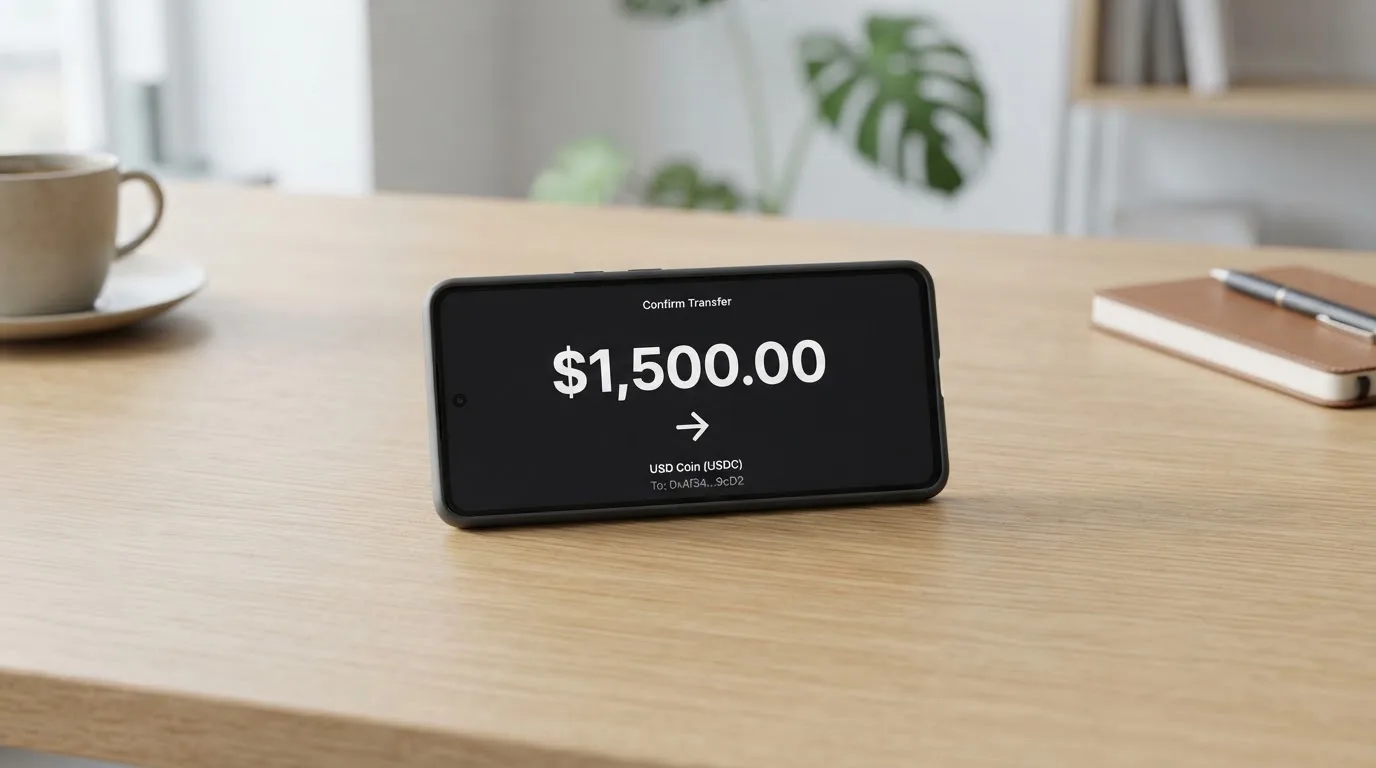
That is the whole official list, and the gaps are more informative than the entries. Networks are not stated. The minimum top-up is not stated. Who pays the network fee, you or Keytom, is not stated. For a card whose entire premise is moving value across blockchain rails, the absence of a named network is a genuine inconvenience: USDC exists on many networks, they are not interchangeable, and sending the wrong one is a well-known way to lose money. Blockchain transfers are irreversible. A deposit sent on a network the provider does not support, or to an address belonging to a different network, can be lost or need manual support recovery with no guarantee attached. So the practical rule is simple even though the card does not state it: read the deposit screen in the app at the moment you send, and match what it says.
There is also no described way to withdraw your balance to a bank account or in crypto. The public pages do not set out a card-balance withdrawal at all. ATM cash exists, as detailed in the Fees section, and a Deletion Policy is linked, but its content was not read, so I will not guess at what it says about what happens to money in an account being closed.
Two unofficial figures are worth knowing and labelling clearly. cryptocardhub, in August 2026, reports that on a personal account SEPA incoming transfers cost 0.5% plus EUR 0.25, outgoing 1% plus EUR 0.25 with a minimum of EUR 2.75 each way, and converting euros to crypto 1.5%. The same source reports a crypto withdrawal fee of 0.1% plus the network fee. None of this is confirmed by Keytom’s own pages. Check the app or the fee schedule before you rely on any of it.
Paying with it every day
Everyday use is the card’s strongest area, and the score reflects that. The virtual card can be added to Google Pay or PayPal. Apple Pay is “not available yet” according to the FAQ — and there is a wrinkle worth flagging, because on Trustpilot users reported in October 2026 that Apple Pay had gone missing, and the company replied on 12 October 2026 that it is “being brought back”. The phrasing implies it worked before. If Apple Pay is central to how you pay, treat this as unresolved rather than as a stable feature.
Some things do not work: fuel pumps, gambling and a few others are not supported, and some platforms block in-game purchases. That last one is a merchant policy rather than a card rule, but the effect on you is the same. Fuel pumps are the classic one, because at many stations the card has to be dipped rather than tapped.
The app exists for iOS and Android. Store ratings are not stated on the pages I could see, so I cannot tell you whether people like using it.
Refunds work the way most card refunds work, with one detail that catches people out. Refunds go through the merchant and usually take 2 to 15 days. The original payment fee is not returned, so a refund of a payment where you paid a fee will arrive slightly lower than what you paid. There is no extra refund fee on top of that. Hotels and airlines can hold funds for up to 30 days, which is a merchant-side practice rather than something the card controls. Chargebacks are not mentioned at all, and in the United States prepaid-card coverage varies and should not be assumed — if you rely on disputing a charge, ask first.
The physical card works contactless. If you have only the virtual card, ATM withdrawals are limited to contactless ATMs.
What can go wrong
Let me separate what I could verify from what people report, because they carry very different weight.
The company behind it. Keytom is operated by KEYTOM SERVICES LTD, a Canadian money services business registered with FINTRAC under MSB M21788474. That registration is real and checkable. The issuing bank is not named on the public pages. In practice that means the Visa programme sits somewhere behind a company you cannot see from here, and the chain of responsibility for a disputed payment is correspondingly harder to trace.
Where your balance sits. The balance is held by Keytom; this is not self-custody. Control of crypto belongs to whoever holds the credentials, so you are trusting the provider completely with the funds you have loaded. The stated safeguards are two-factor authentication, transaction monitoring and AML procedures, a card freeze in the dashboard, segregated client accounts, and crypto described in the FAQ as “insured up to $100 million through Fireblocks” — that is the card’s own wording, and an aggregate figure rather than a promise about your balance. Withdrawals can be paused if activity looks suspicious. Segregated accounts matter, because EU rules require e-money institutions to safeguard customer funds, though such funds are not the same as bank deposits and may not sit under a deposit guarantee scheme.
Complaints. On Trustpilot the card shows 4.3 out of 5 from 37 reviews in the last 12 months, with 81% five-star and 14% one-star, read on 20 October 2026. Only about 10 of the 37 reviews were visible to me, which is a small sample and I would not read much into the percentage. The recurring themes are more useful: fees and rates seen as high next to alternatives, on 29 January and 9 and 29 September 2026; a referral reward withheld alongside an account closure, in January 2026, with the company replying on 12 October 2026 that rewards can be withheld where abuse is suspected; and the Apple Pay complaint above.
Closed accounts and frozen money. Regulatory due diligence is the reason accounts get closed or frozen while documents are chased. Where due diligence cannot be completed, EU rules require the institution to refrain from the transaction or relationship and, where necessary, end existing relationships. In practice this means a card that works today can stop working on a slow verification request, and a custodial balance means you are waiting on someone else’s systems while it happens.
Foreign merchants declining you. A card number starts with a 6- or 8-digit issuer identification number, and merchants can look it up to see which institution and country issued the card. If the issuer country differs from your billing address, some merchants apply extra scrutiny, and some decline prepaid or foreign numbers outright. This is why a card issued in one country can look odd to a shop in another, and it is a reason a prepaid card can fail in a place where your old card never had trouble. Address verification, which compares the numeric parts of the billing address you type with issuer records, is mainly offered in the United States, Canada and the UK and is generally unavailable for foreign-issued cards — another source of declines.
Stuck authorisations. A declined authorisation can leave a hold on your funds that persists for several days, typically up to seven.
Support. In-app chat, the website and [email protected], with business days 5:00 to 15:00 UTC and after-hours messages answered the next business day. Languages are not stated, and the site presents English only. If you are not comfortable in English, that is a real limit before you open a dispute.
Worth one line on the category. Card programmes do close. Visa terminated its global agreements with FTX on 13 November 2022 and the FTX US debit card was wound down by its issuer; WaveCrest, a Visa issuer that supplied several crypto card brands, was suspended by Visa in Europe in 2018 and all its Visa programmes were closed. Closures typically mean a notice period, then loading and spending stop, then users are asked to withdraw remaining balances. That history is not a prediction about this card. It is a reminder that the balance you leave on a crypto card is money you have handed to a counterparty.
What to take instead
I looked at three cards that come up in the same conversations, and the honest summary is that all three score close to this one. None of them is dramatically better; they differ in where they are cheap and where they are not.
RedotPay
| RedotPay | |
|---|---|
| Score | 6.9 / 10 |
| Card | Virtual and physical; Visa debit in the Singapore terms, “leading card networks” on the card page |
| Card currencies | USD card and HKD card |
| Issue | 10.00 USD virtual; 100.00 USD physical, non-refundable once paid |
| Ongoing | No monthly or annual fee, no inactivity fee mentioned; paid Pro tier 12.90 USD monthly or 129.00 USD annual |
| Payment fee | 1.00% transaction fee; default-currency transactions waived, non-default currency 1.20% |
| Odd costs | Small authorisations (1.00 USD or less): first 5 a month per card waived, then 0.2 USD; declined transactions: first 3 a month waived, then 0.5 USD |
| Rewards | 5 USD welcome reward, spending only, valid 30 days; no cashback rate stated |
| Eligibility | Two official lists worded differently; a KYC list by citizenship including the United States, and an August 28, 2026 card-issuance list of 47 places by residence adding India, Indonesia, Morocco, Nepal, Singapore and Turkey |
RedotPay’s payment fee is lower than Keytom’s 2.35% on non-default currency, and it has no monthly fee at all, which over a year dwarfs Keytom’s USD 120 for two cards. But you pay 100 USD for the physical card instead of 50, and its eligibility wording is harder to read: one list excludes by citizenship and includes the United States, the other by residence, and Georgia, Armenia, Kazakhstan and the UAE appear on neither.
Bitpanda
| Bitpanda | |
|---|---|
| Score | 6.5 / 10 |
| Card | Physical Visa debit; one active card at a time |
| Card currency | EUR only |
| Costs | Account opening and monthly cost, first shipment free; reissue EUR 5.90, or EUR 9.90 for lost or stolen; each additional physical card EUR 10 |
| FX | EUR 0 stated, but “VISA mark-up fees apply”; crypto conversion fee or spread not stated |
| Spending | From a chosen main asset and optional fallback — listed cryptocurrencies, precious metals or EUR — converted at payment; minimum EUR 1 |
| Rewards | Page says 1% cashback on crypto spending, page summary says “up to 2%” — unreconciled; fiat, stocks, metals and stablecoins excluded |
| Eligibility | Verified account and residence in a euro-area country; users verified via “Bankident” cannot order |
Bitpanda is the one to look at if your money is in euros and you want to spend from a crypto balance without holding USDC. No monthly fee, free first shipment, and EUR-denominated spending instead of a 2.35% conversion charge. The catch is that it is narrower: euro-area residence only, a physical card only, and a cashback figure the provider’s own pages contradict.
Wirex
| Wirex | |
|---|---|
| Score | 6.7 / 10 |
| Card | Virtual for online, physical for points of sale and ATMs; one of each at a time; Visa Signature metal card |
| Card currency | Not stated |
| Costs | Card issuance free in UK, EEA, APAC, Singapore, Australia and “Other”; PIN change free; metal card 45 GBP on the UK page with free DHL Express, “only 45 EUR” delivery fee elsewhere |
| FX | Not specified on the fee page (“market-leading exchange rates”, viewable in the app); card page says no foreign exchange fee |
| Funding | Another Wirex account, another person, or a third-party payment provider; SEPA, Faster Payments, ACH and PIX fiat deposits free |
| Rewards | Cryptoback in WXT: Standard 0.5%, Premium 3%, Elite up to 8% |
| Eligibility | Availability “depends on your region”; service area worldwide (130+ countries); Singapore terms bar cash withdrawals and bar transactions with prohibited countries including Iran, Cuba and Syria |
Wirex is the one with an actual rewards ladder and free fiat deposit rails, and it is the only card here with a metal option. But almost nothing about its pricing is fixed in public: no card currency stated, the exchange rate lives in the app, and its eligibility depends on your region in a way Keytom’s does not. The 0.5% to 8% back is paid in a token, not in dollars.
The comparison in one line each
- Keytom: simplest to understand, and the only one of the four with a soft limit around USD 150,000 per transaction — but 10 USDC a month per card and 2.35% off-currency.
- RedotPay: no monthly fee and a lower off-currency fee, at 100 USD for the physical card and a harder eligibility read.
- Bitpanda: the sensible euro-area option with no monthly fee, if you live there and want EUR spending.
- Wirex: free issuance and the only rewards programme worth naming, if you can live with pricing that is not published.
Who I would recommend it to
I would recommend this card to one specific person: someone already holding USDC who wants to spend dollars, mostly in the United States or in other dollar markets, who is content to pay 1% and who does not need Apple Pay tomorrow. Get the free virtual card, use it, and treat the physical 50 USDC card plus 10 USDC a month as the price of carrying cash and using ATMs — a price worth paying only if you actually take cash out.
I would steer a euro-area resident toward Bitpanda before this, purely because a EUR card avoids the 2.35% off-currency fee that will otherwise recur on every single purchase. If you live somewhere with a strong dollar cost of living and never touch euros, that reasoning disappears.
I would not recommend it to someone who needs a bank account rather than a payment card, because the issuing bank is not named and the balance is custodial. If what you want is somewhere safe to receive a salary or hold savings, this is the wrong instrument, and the complaints about an account closed alongside a withheld referral reward are exactly the kind of story that should make you think twice about leaving money on the platform.
And I would not recommend it to anyone planning to live on ATM withdrawals, or to anyone who needs Apple Pay as a matter of course rather than a convenience.
Checks I would do first
Before you load anything, I would look at three things. Read the deposit screen in the app and confirm which network your USDC should go on, because the card does not say. Look up the provider on the relevant public registers where you live — ESMA keeps an interim register of authorised crypto-asset service providers, white papers and non-compliant entities, and if you are in the EU, MiCA applies from 30 June 2024 for stablecoin rules and from 30 December 2024 for crypto-asset service providers, with a transitional period running until 1 July 2026 or until a provider receives or is refused authorisation, whichever comes first. And price one non-USD purchase against the alternatives before you commit, because that single number decides this card for you more than anything else on this page.
One more thing nobody mentions until it matters: in the United States the IRS treats digital assets as property, so exchanging them for goods, services or dollars generally produces a taxable gain or loss, measured in local fiat currency at the fair market value on the date of the transaction. Each card payment funded from crypto can be a separate disposal. I am not giving you tax advice and you should not take this page as such — but if you spend a card funded from crypto regularly, that is a conversation to have with someone qualified before the year ends.
Frequently asked questions
What is Keytom card?
The Keytom card is a Visa payment card that spends a USDC balance rather than a bank account. Keytom is a crypto platform; you hold USDC with them, the card converts to dollars as you spend, and there is no credit. You can hold one virtual card, issued free, and one physical card, sent for 50 USDC.
Is Keytom a bank?
No — not as far as the public material goes. The company behind it, KEYTOM SERVICES LTD, is a Canadian money services business registered with FINTRAC under number M21788474. That registration covers money transmission business. The bank that actually issues the Visa is not named on the public pages.
How do I get a Keytom card?
Sign up in the app on iOS or Android and order from inside it; physical cards have been orderable in the app since June 2026. The virtual card is free and instant, the physical card costs 50 USDC and arrives in about 14 days. You can hold at most one of each.
Does the Keytom card require KYC?
The card’s own pages never use the term “KYC” and do not list required documents, proof of address or a minimum age for individuals. Keytom does describe two-factor authentication, transaction monitoring, AML procedures, and the right to ask for verification information. Unofficial sources suggest passport or ID, a selfie, proof of address and possibly source-of-funds evidence, at 18 and over.
How much does a Keytom card cost?
Virtual issue is free. The physical card costs 50 USDC to deliver and the monthly fee is 10 USDC per card, or 20 with both, charged when the balance covers it. Paying in dollars costs 1% with a minimum of 0.66 USDC; paying in other currencies costs 2.35%; ATMs cost 2% in dollars and 3.35% elsewhere.
Is Keytom card free?
Partly. There is no monthly account fee for holding the account and the virtual card is free to issue, but the physical card is not: 50 USDC to send it and 10 USDC a month to keep it. Every payment also carries a fee, and there is no cashback on the card page to offset any of it.
Can I add the Keytom card to Apple Wallet?
Not at the moment. The FAQ says Apple Pay is “not available yet”, and users reported in October 2026 that it had gone missing, with the company saying on 12 October 2026 that it is being brought back. Google Pay and PayPal both work with the virtual card, which covers most of the same ground.
What networks can I use to top up?
The card’s public pages do not name them, which is a real gap. You can top up by card through Visa Direct, send USDC directly, or convert euros or crypto you hold in Keytom into USDC. No top-up fee is listed, but the minimum and who pays the network fee are not stated either.
Is Keytom card safe?
Your balance is held by Keytom rather than in your own wallet, so you are trusting a counterparty rather than holding keys yourself. The stated protections are two-factor authentication, transaction monitoring and AML checks, segregated client accounts, a dashboard card freeze, and crypto described in the FAQ as insured up to $100 million through Fireblocks — an aggregate figure, not a per-balance guarantee.
Can I withdraw money from Keytom to my bank?
The public pages do not describe withdrawing the card balance to a bank account or in crypto. Cash is available at ATMs with the physical card, at 2% in dollars and 3.35% in other currencies. A Deletion Policy is linked on the site, but I did not read its contents, so I cannot tell you what happens to money in an account being closed.
App and neobank cards – cryptocardsearch.com
Content created by the «cryptocardsearch.com» team